Dashboards
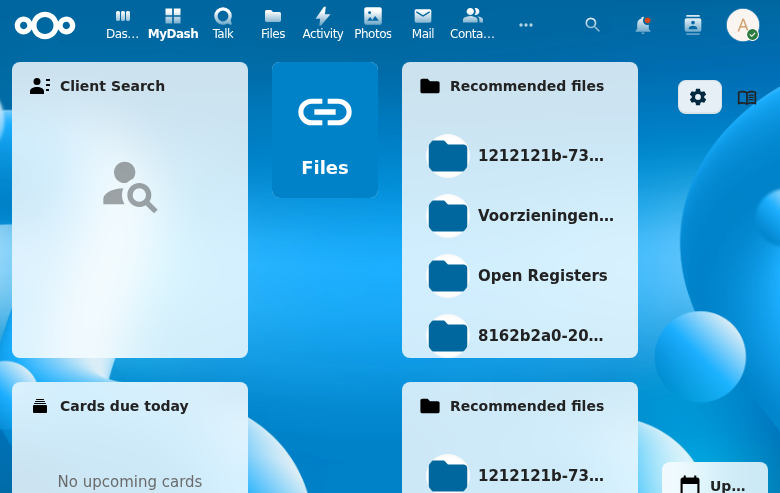
Dashboards are the core organizational unit in LaunchPad. Each user can create and manage multiple personal dashboards, each acting as a container for widget placements, tiles, and layout configuration.
Features
- Create personal dashboards with name and optional description
- Only one dashboard active per user at a time
- New dashboards auto-activate and receive default widget placements
- UUID v4 generated for each dashboard
- Dashboard types:
user(personal) andadmin_template(admin-managed) - Grid columns configurable (default: 12)
- Permission levels:
view_only,add_only,full
API Endpoints
| Method | Endpoint | Description |
|---|---|---|
| GET | /api/dashboards | List all user dashboards |
| GET | /api/dashboard | Get active dashboard |
| POST | /api/dashboard | Create new personal dashboard — gated by allowUserDashboards |
| PUT | /api/dashboard/{id} | Update dashboard |
| DELETE | /api/dashboard/{id} | Delete dashboard |
| POST | /api/dashboard/{id}/activate | Activate dashboard |
| POST | /api/dashboards/{uuid}/fork | Fork a visible dashboard as a personal copy (REQ-DASH-020) — gated by allowUserDashboards |
403 Response — personal_dashboards_disabled
When the admin setting allow_user_dashboards is false (the factory default), the following endpoints return HTTP 403 with this stable error envelope:
POST /api/dashboard(create personal dashboard)POST /api/dashboards/{uuid}/fork
{
  "status": "error",
  "error": "personal_dashboards_disabled",
  "message": "Personal dashboards are not enabled by your administrator"
}
The flag check runs before any other validation (existence of source UUID, permission checks) so the envelope shape is stable regardless of the request body.
Endpoints that are not gated (existing personal dashboards remain fully functional while the flag is off):
GET /api/dashboards/visibleGET /api/dashboard(active dashboard)PUT /api/dashboard/{id}(edit existing personal dashboard)DELETE /api/dashboard/{id}POST /api/dashboards/active(set active preference)- All group-shared and admin-template endpoints
Forking a Dashboard
Users can fork any dashboard they can read (personal, group-shared, or default-group) into a new personal dashboard via POST /api/dashboards/{uuid}/fork. The fork deep-copies all widget placements and becomes the user's active dashboard. An optional name field in the request body sets the fork name; omitting it uses the localised default My copy of {source name}.
Forking is gated on the admin setting allow_user_dashboards. When disabled, the endpoint returns HTTP 403 with error code personal_dashboards_disabled.
Resource URLs (e.g. custom tile icons uploaded via the resource-uploads capability) are shared between the source and the fork — no resource bytes are duplicated (REQ-DASH-022).
Screenshot